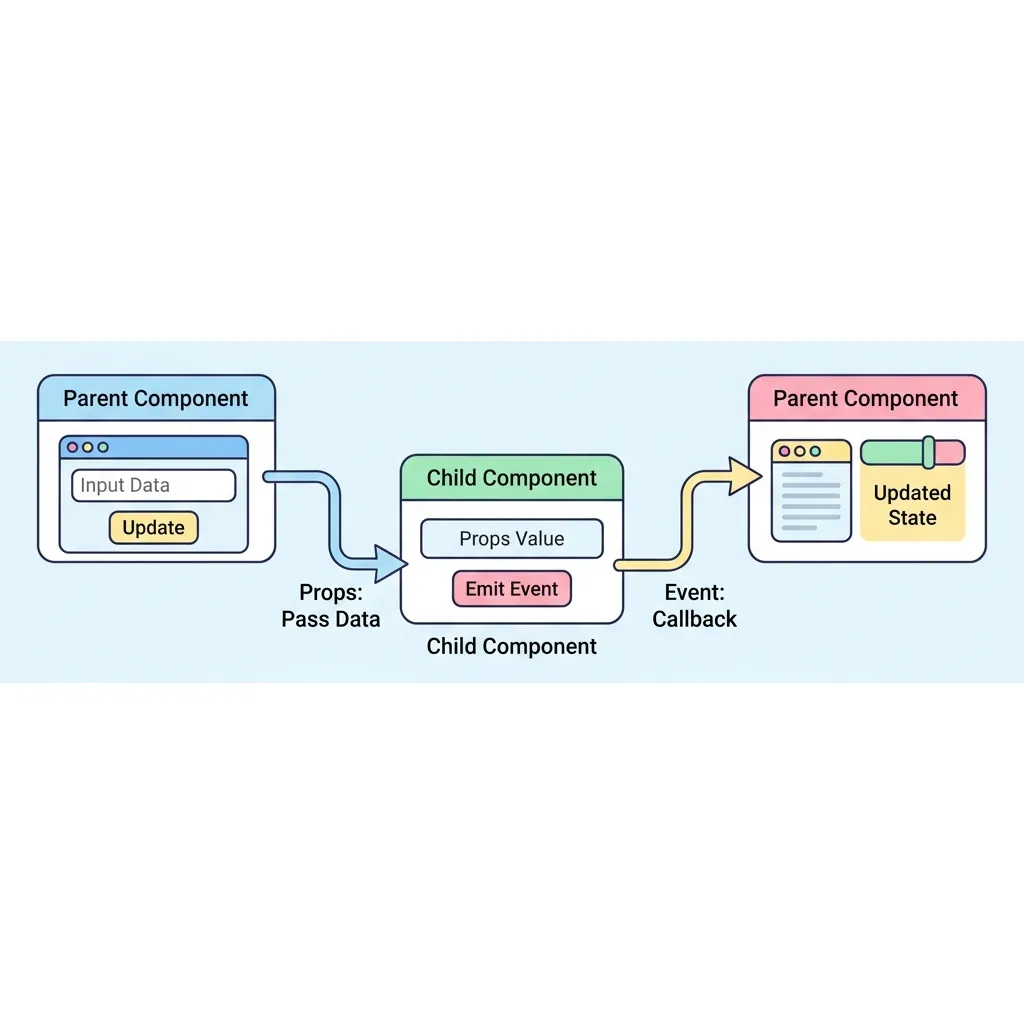
모던 프론트엔드는 작은 컴포넌트들을 조립하여 큰 애플리케이션을 완성합니다. 이때 컴포넌트들끼리 대화를 나누는 가장 기본적이고 중요한 규칙이 바로 단방향 데이터 흐름입니다.
부모는 자식에게 Props라는 택배 상자로 데이터를 내려보내고, 자식은 부모에게 Emit이라는 확성기로 이벤트를 올려보냅니다.
이 규칙을 철저히 지키면 앱이 커져도 데이터가 꼬이는 일(스파게티 코드)을 방지할 수 있습니다.
비교 항목
Props (프롭스)
Emit (에밋)
통신 방향
부모 ➡️ 자식 (위에서 아래로 전달)
자식 ➡️ 부모 (아래에서 위로 전달)
전달 내용
문자열, 숫자, 객체, 배열 등 실제 데이터 값
클릭, 완료 등 무언가 일어났다는 이벤트 신호 (+ 선택적 데이터)
수정 가능 여부
읽기 전용 (Read-only). 자식이 값을 마음대로 수정하면 안 됩니다!
이벤트를 받은 부모가 직접 자신의 상태(데이터)를 수정합니다.
<!-- ========================================== -->
<!-- 📂 1. 부모 컴포넌트 (Parent.vue) -->
<!-- ========================================== -->
<script setup>
import { ref } from 'vue';
import ChildComponent from './ChildComponent.vue';
// 자식에게 Props로 넘겨줄 데이터
const parentMsg = ref('우리 예쁜 딸, 용돈 5만원 💸');
// 자식이 보낸 Emit 이벤트를 받을 함수
const handleChildEvent = (replyMsg) => {
alert(`자식의 응답: ${replyMsg}`);
};
</script>
<template>
<div class="parent-container">
<h2>👨👦 부모 컴포넌트</h2>
<!--
[핵심 문법]
:message="parentMsg" => 자식의 message 속성(Props)에 내 데이터 연결
@reply="handleChildEvent" => 자식이 reply 이벤트(Emit)를 발생시키면 내 함수 실행
-->
<ChildComponent
:message="parentMsg"
@reply="handleChildEvent"
/>
</div>
</template>