SSR 상태 공유와 SEO 최적화
서버와 클라이언트 간의 상태 공유 (useState)
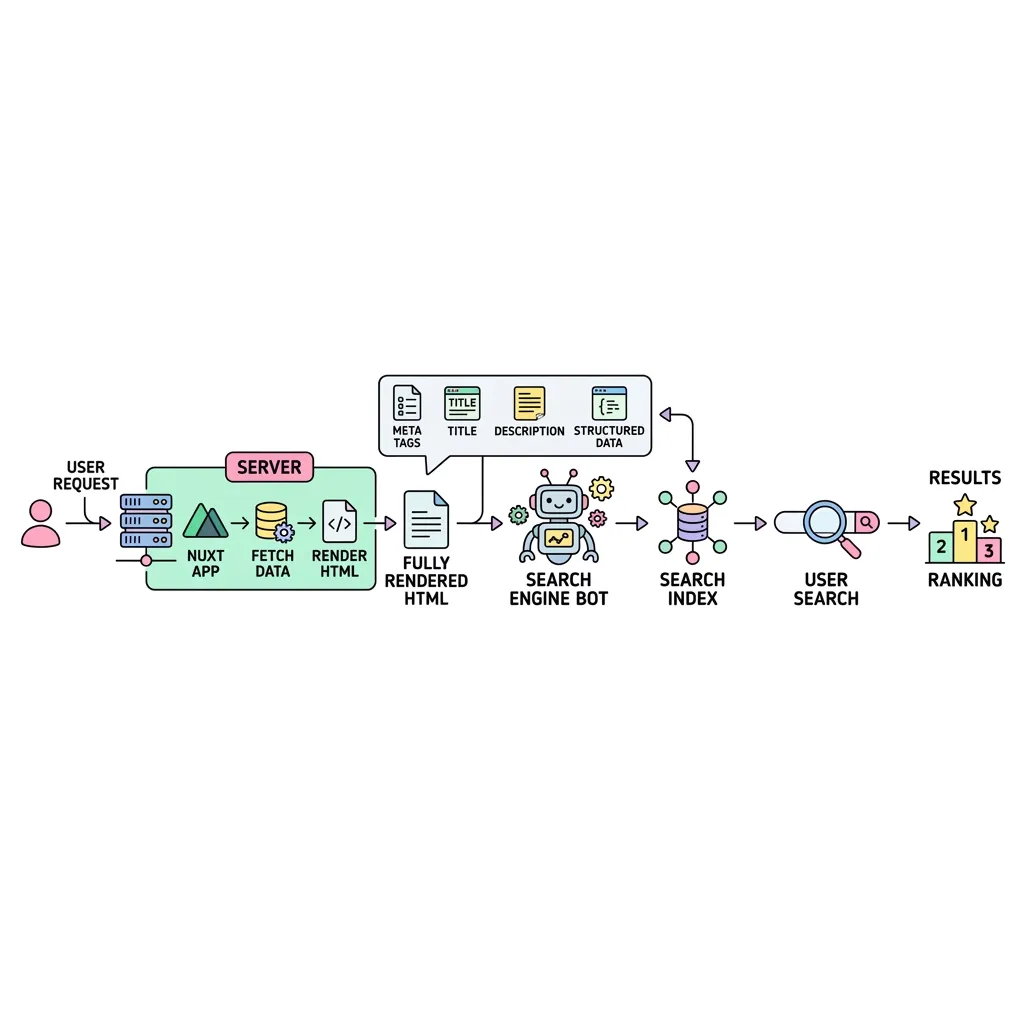
React나 기본 Vue.js 환경에서 상태(State)를 관리할 때는 보통 useState나 ref를 사용합니다. 하지만 SSR(Server-Side Rendering) 프레임워크인 Nuxt.js에서는, 서버에서 한 번 만들어진 상태가 클라이언트 브라우저로 넘어갔을 때 초기화되지 않고 그대로 이어받는(Hydration) 특별한 메커니즘이 필요합니다. 이를 위해 Nuxt 3는 고유의 useState() 컴포저블을 제공하며, 이는 서버에서 생성된 상태를 페이로드(Payload) 형태로 직렬화하여 클라이언트에 완벽하게 전달해 줍니다.
Vue의 ref() vs Nuxt의 useState() 차이점
ℹ️ 참고: 언제 useState를 써야 할까?
만약 클라이언트에서만 상태가 발생하거나(예: 모달 팝업 열기/닫기), 데이터 페칭 없이 단순 UI 상태만 제어한다면 ref()를 써도 무방합니다. 하지만 서버에서 페칭한 API 데이터를 클라이언트에서 재사용해야 하거나, SSR 과정 중 변경된 상태를 브라우저에 그대로 넘겨주어야 한다면 반드시 useState()를 사용해야 중복 API 호출(Double Fetching)을 막을 수 있습니다.
useSeoMeta를 활용한 궁극의 SEO 최적화
Nuxt.js의 가장 강력한 무기 중 하나는 바로 SSR을 통한 완벽한 SEO(검색 엔진 최적화) 지원입니다. Nuxt 3에서는 useSeoMeta() 컴포저블 하나만으로 오픈그래프(OG), 트위터 카드, 타이틀 등 거의 모든 메타 태그를 매우 직관적으로 주입할 수 있습니다.
| 속성명 (Property) | 설명 및 SEO 기여도 | 예시 (코드) |
|---|---|---|
| title | 브라우저 탭 및 구글 검색 결과에 표시되는 가장 중요한 제목입니다. | title: 'Minstudio' |
| description | 구글 검색 결과 제목 아래에 표시되는 요약 설명입니다. (클릭률(CTR)에 결정적 영향) | description: '프론트엔드 포트폴리오' |
| ogTitle / ogDescription | 카카오톡, 페이스북, 슬랙 등에 링크를 공유할 때 나타나는 오픈그래프(OG) 카드 정보입니다. | ogImage: 'https://.../img.png' |
| twitterCard | 트위터(X) 공유 시 카드의 형태를 결정합니다. 보통 summary_large_image를 씁니다. |
twitterCard: 'summary_large_image' |